
FOR PARTICIPANTS, FAMILIES AND TRUSTED SUPPORTERS
Keep your support connected to what matters to you.
Kinovo is a care coordination web app for NDIS participants, families and trusted supporters. Share useful updates, upcoming appointments and next steps, while each person contributes the part they are responsible for.
Use Kinovo for yourself or someone you are authorised to support.
Already invited? Open your invitation, or sign in to check your invitations.
 View larger
A family example
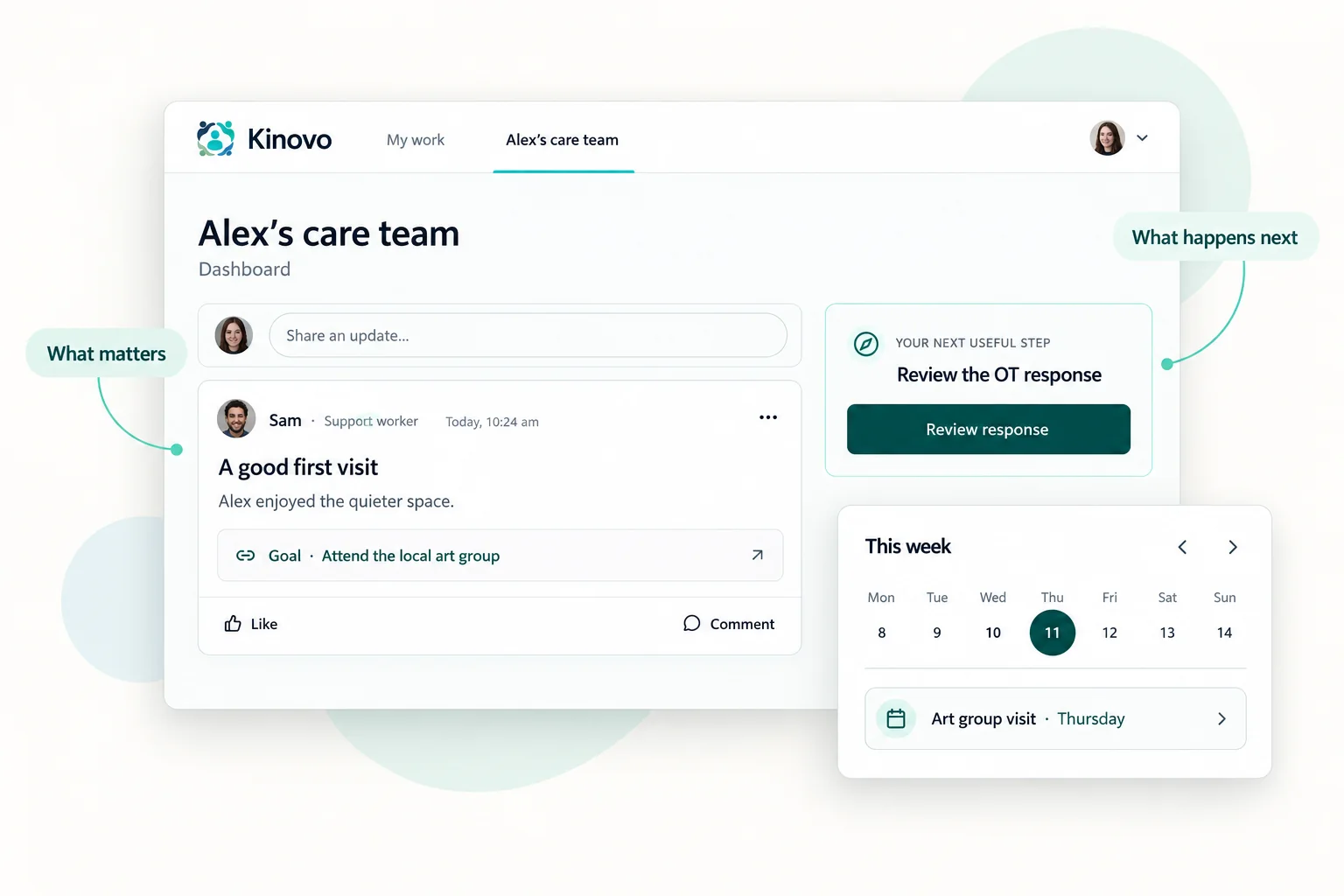
What has changed since you last checked?
Find the information your team has shared and see what happens next. You can stay involved without being the person who enters every update or collects every document.
Support note
A useful update from today’s support
Jamie shared what helped Alex feel comfortable at the community centre.
Shared with the care team
Appointment
The next OT appointment is in the calendar
The team can see the appointment and find the relevant preparation.
Thursday · 10:00 am
Document contribution
The current equipment report has been added
Alex’s OT supplied the document in response to the team’s request.
Response ready for review
Professional action
The supplier quote has a named next step
Morgan, the support coordinator, is following up the quote linked to Alex’s goal.
Owner · Morgan
A fictional example of the information a care team can contribute.
Waiting for a reply? Read our guide to what to do when your NDIS support coordinator is not responding for practical follow-up options and places to seek help.
You do not have to build the whole picture alone.
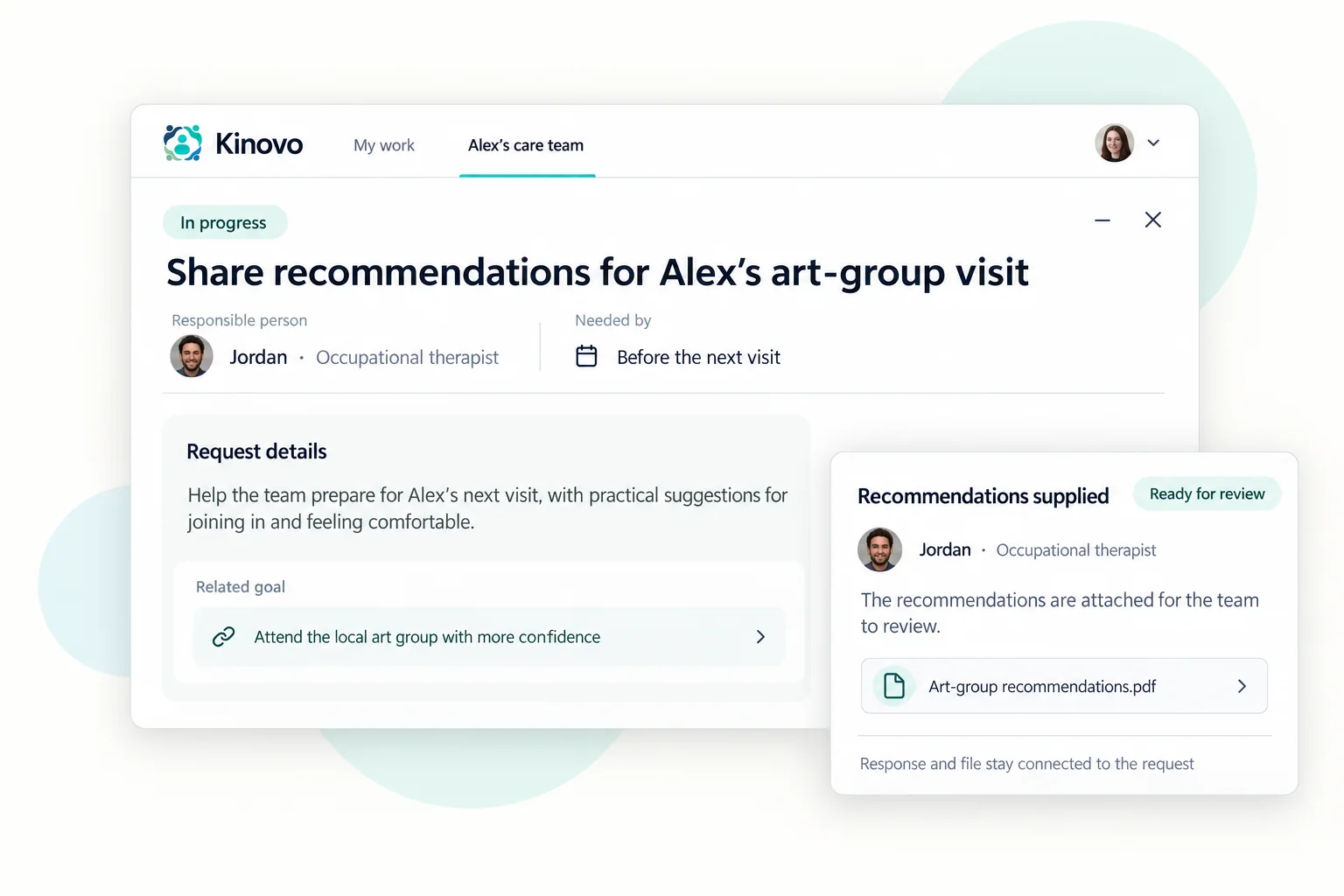
Start with what you know. Invite the people best placed to help, ask for missing information and review their contributions together. A professional can supply a current report, a supporter can add useful context and a team member can respond to the next action.
 View larger
Start with the files your team needs now using the free NDIS document folder and sharing checklist. You can also compare an NDIS plan, support plan and service agreement to understand what each document is for.
Meet Kivo · Optional AI helper
A little help finding your way through it all.
Ask Kivo what is waiting, find information your team has shared, or get help using Kinovo. It can bring relevant details together and link back to the records, so you can check the answer and decide what to do next.
Optional to use. Your care team stays in control.
See how Kivo worksKivo
Alex’s care team · Private conversation
What are we waiting on for Alex’s equipment?
Kivo · Example answer
The supplier quote is marked Waiting, with Morgan as the owner. The equipment report is ready for review.
View 2 source records
Supplier quote · Task
Status: Waiting · Owner: Morgan
Equipment report · Task
Status: Ready for review
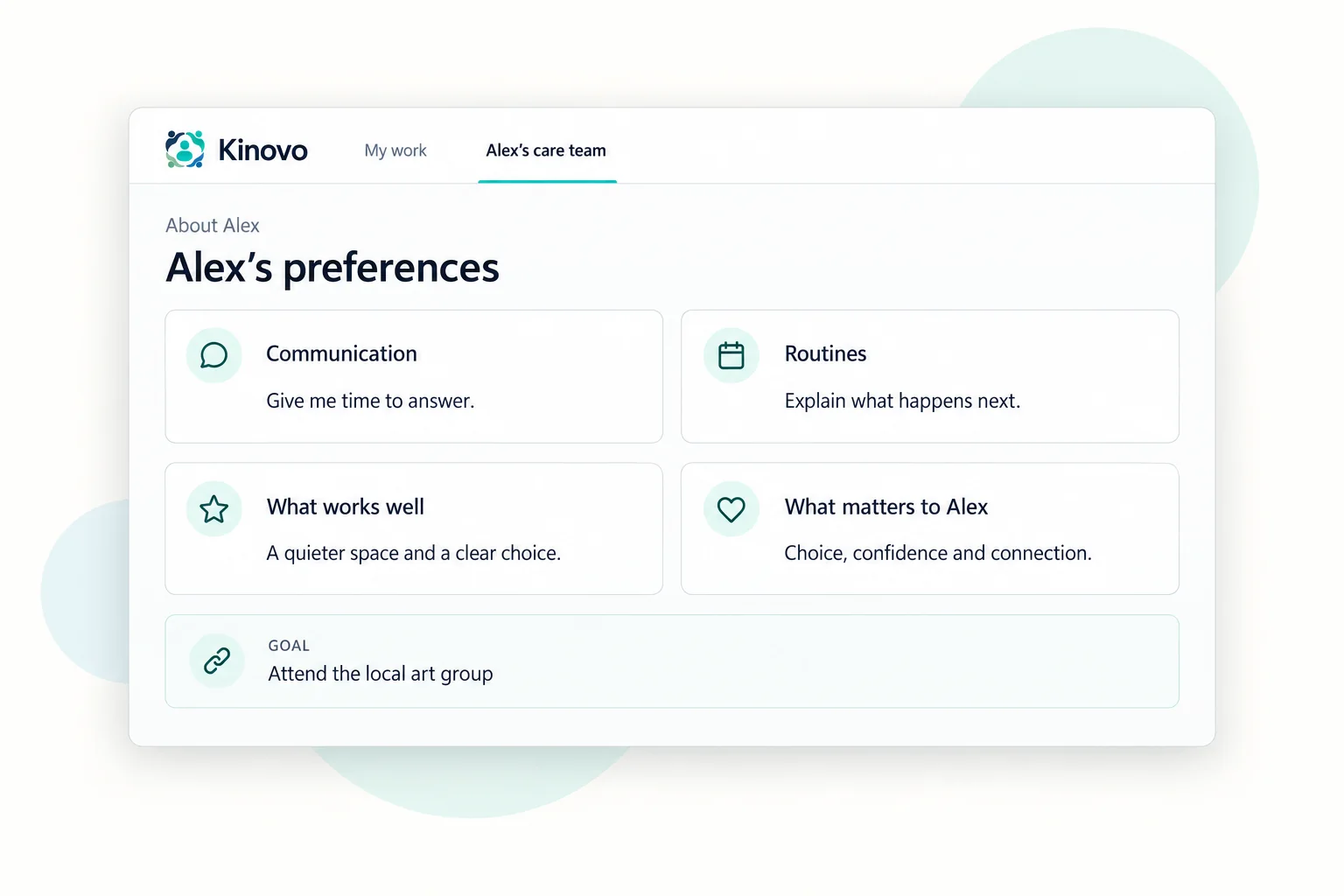
Keep your preferences within reach.
Help the people supporting you understand your communication preferences, routines and what works well for you.
 View larger
To help others understand how you communicate, read about communication passports and their relationship to profiles and care plans.
Thinking about your wider network? Explore what a circle of support can look like and how it relates to the people coordinating your supports. For changing family roles, explore future planning as parents age and sharing the work over time.
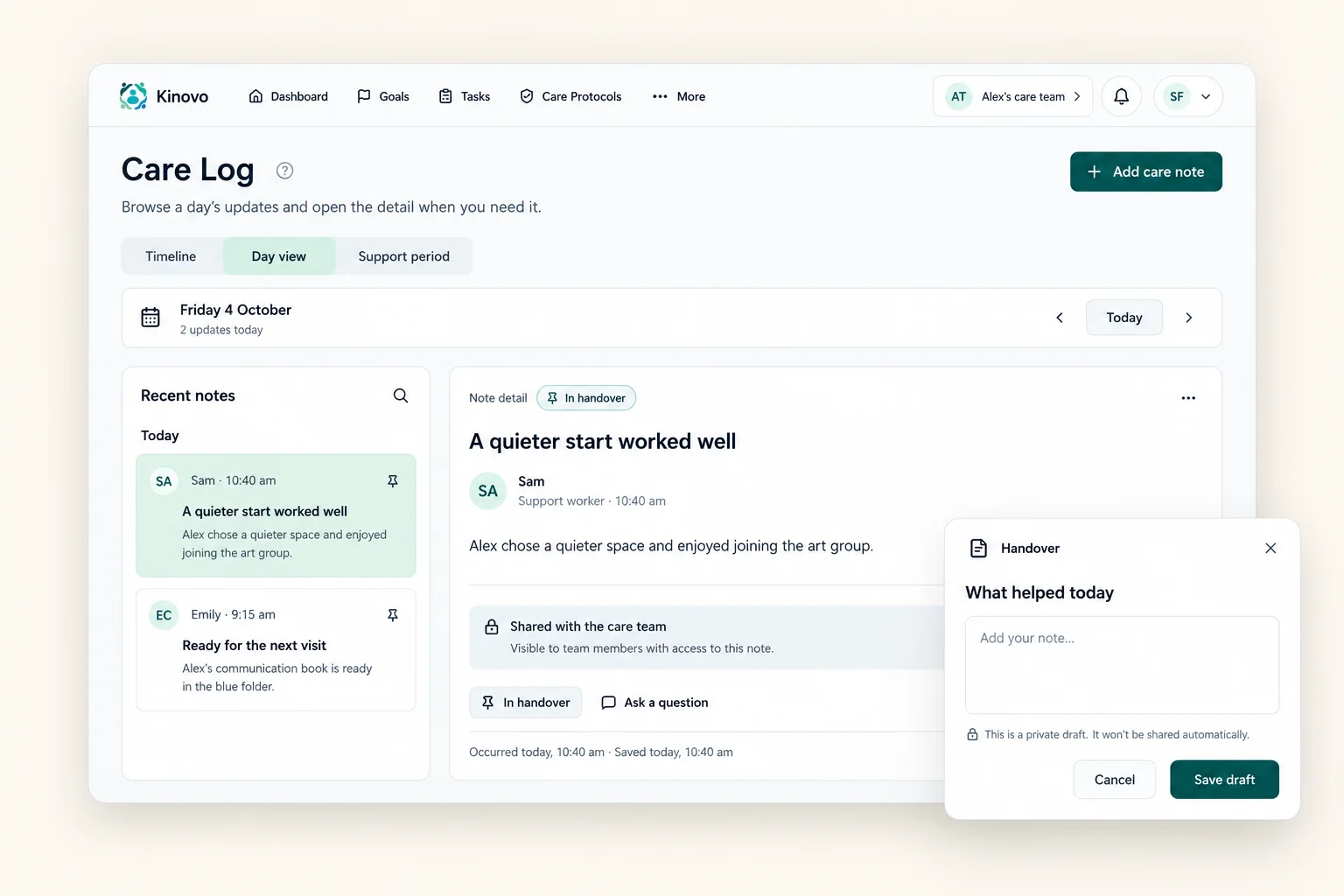
Stay connected between visits.
Shared Care Log entries and handovers give the team useful context about everyday support.
 View larger
Prepare for the next conversation.
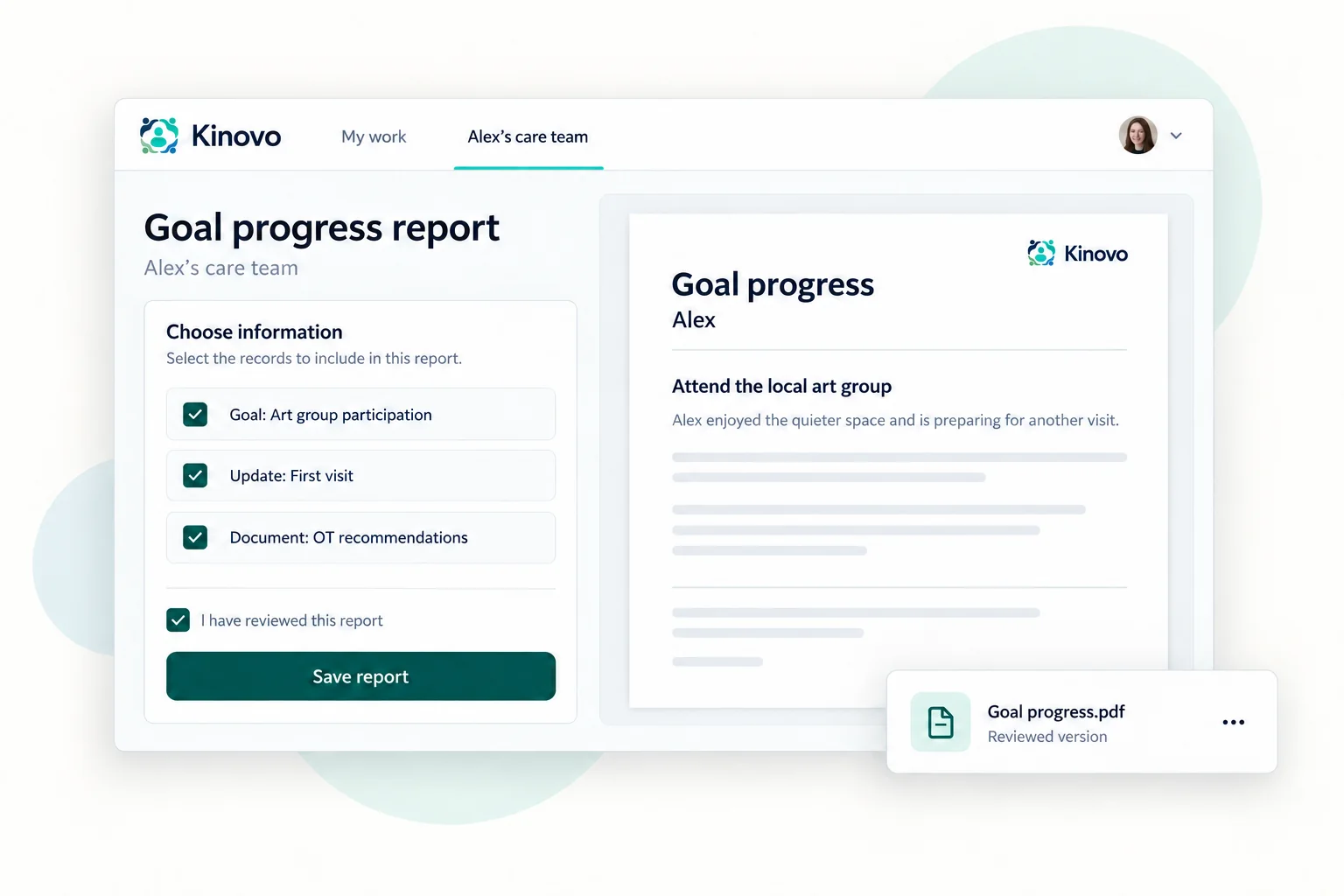
Keep relevant goals, documents and updates together when you are preparing for a meeting or review.
 View larger
Preparing for an assessment? Use the functional capacity assessment preparation checklist. If you are changing homes, the moving-house support handover checklist helps the team agree what happens before and after the move.
Be involved in the way that suits you.
You can manage your own workspace or authorise someone you trust to help. A participant’s own login is optional when a Team leader manages their profile. Access remains deliberate, and the people supporting you contribute within their permissions.
Preparing for adulthood? Our guide to turning 18 with the NDIS explains consent, parent access and keeping chosen supporters involved.
Our guide to keeping service-agreement follow-up clear can help you organise agreed responsibilities. If you are sorting out which app does what, compare the my NDIS app, provider portals and care-team apps.
See how NDIS care coordination software connects the shared work around your priorities and the people you invite.
Questions families ask
Start with one useful priority and the people who can help.
Does my whole care team have to join immediately?
Start with the people involved in one useful priority. You can invite others as the workspace becomes useful to them.
Do I have to add everything myself?
No. Invited team members can contribute the information, documents and responses they are responsible for.
Can I use this for someone I support?
Yes, when you have the appropriate permission. You can establish a care team around their support and invite the people involved.
Do I have to use Kivo?
No. Kivo is optional. You can use Kinovo’s shared workspace without it. Care-team AI requires Team leader approval, and each member chooses whether to use it.
What does it cost?
Current access and future plan arrangements are explained on the Pricing page.
Start with what matters to you.
Create your account and bring one useful priority into a shared space.