
NDIS CARE-TEAM COORDINATION
A virtual round table for your care team.
Kinovo is a shared care-team workspace for NDIS participants, families and professionals. Keep everyday updates, appointments, goals and next steps connected, with the person receiving support at the centre.
You or someone you authorise decides who joins your care team.
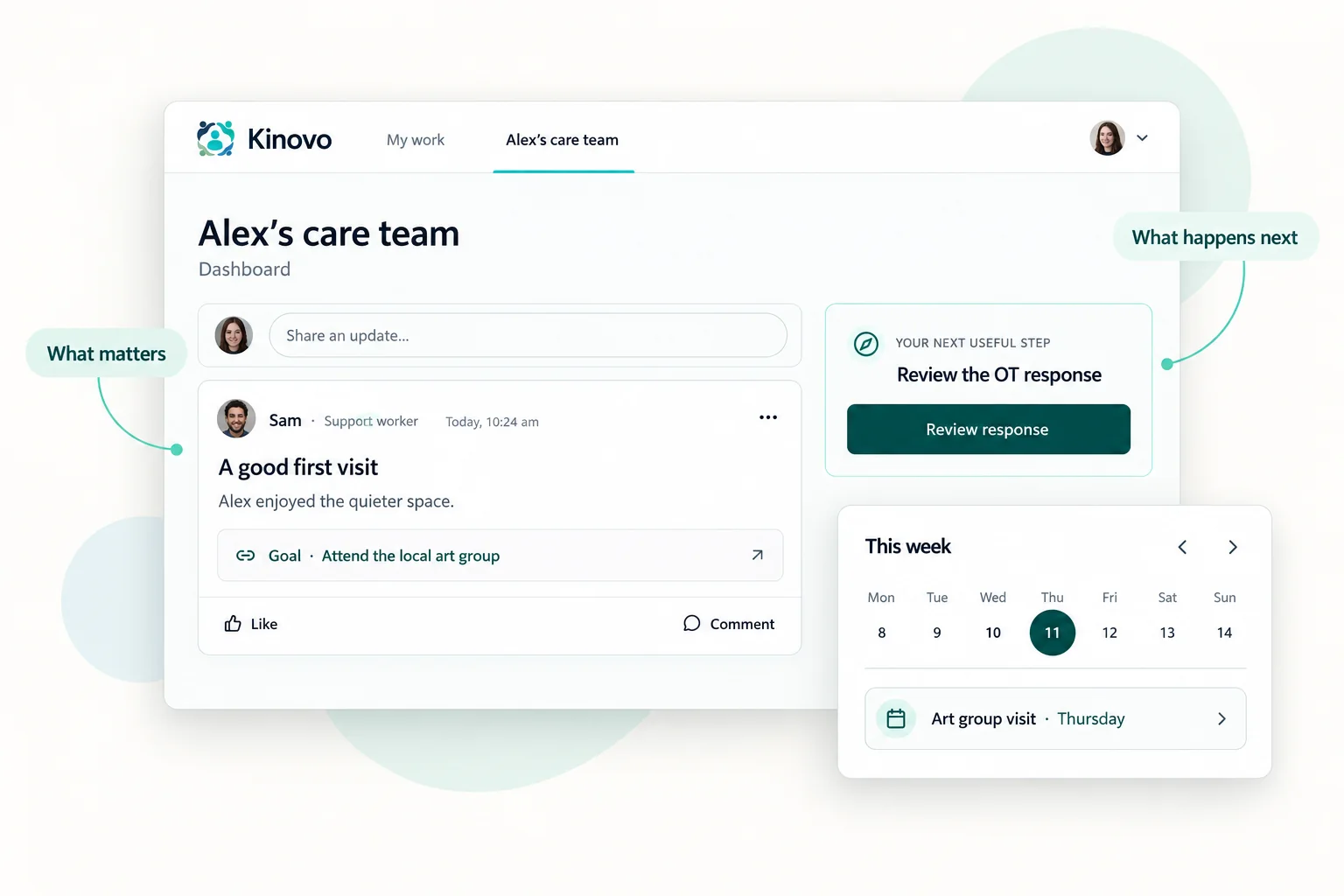 View larger
- What matters
- What has changed
- What happens next
See how one priority brings the team together.
Alex wants to attend a local art group more confidently. Here is how the people supporting Alex can contribute in Kinovo.
Shared goal
Attend the local art group with more confidence
Alex would like to join a small group, enjoy making art and feel comfortable returning.
- What matters to Alex
- Choice, confidence and connection
- Next useful step
- Prepare for the first visit
Connected next action
Ask Jordan to share recommendations for the visit.
Illustrative product view. Fictional information.
Request · Allied health
Share recommendations for Alex’s art-group visit
Help the team prepare for Alex’s first visit, with practical suggestions for joining in and feeling comfortable.
- Responsible person
- Jordan · Occupational therapist
- Needed by
- Before the next visit
Relevant context
Alex’s goal, preferences and current support information.
Illustrative product view. Fictional information.
 View larger
 View larger
 View larger
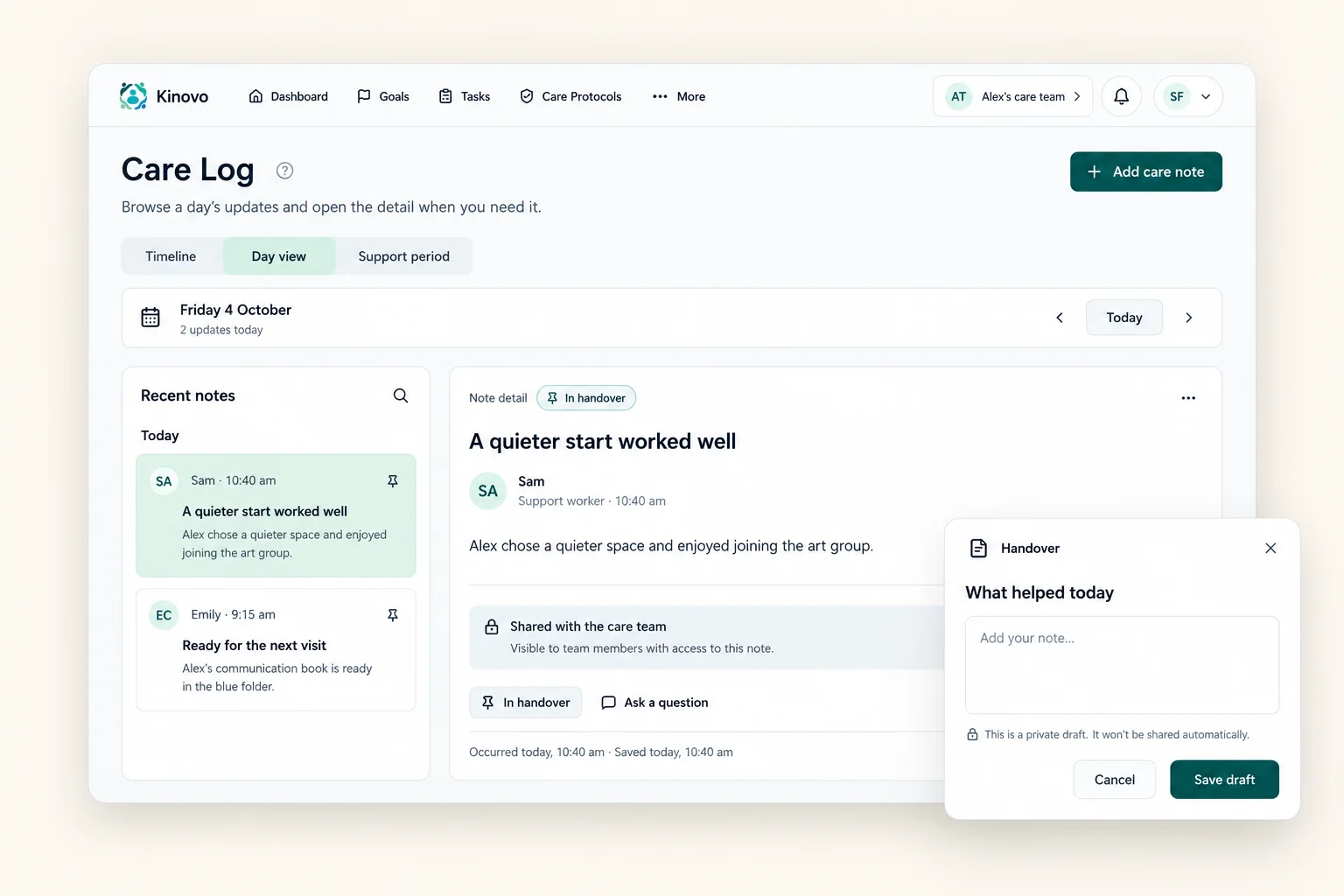
A shared place for everyday support and the bigger next steps.
Between visits
Keep useful updates between visits.
Care Log gives authorised team members a place to share practical observations and handovers. Printed QR codes make it easier to open the right Care Log where support happens.
Scan the code, sign in with your own account and contribute within your care-team access.
Explore Care Log and QR codesView largerTogether, wherever you are
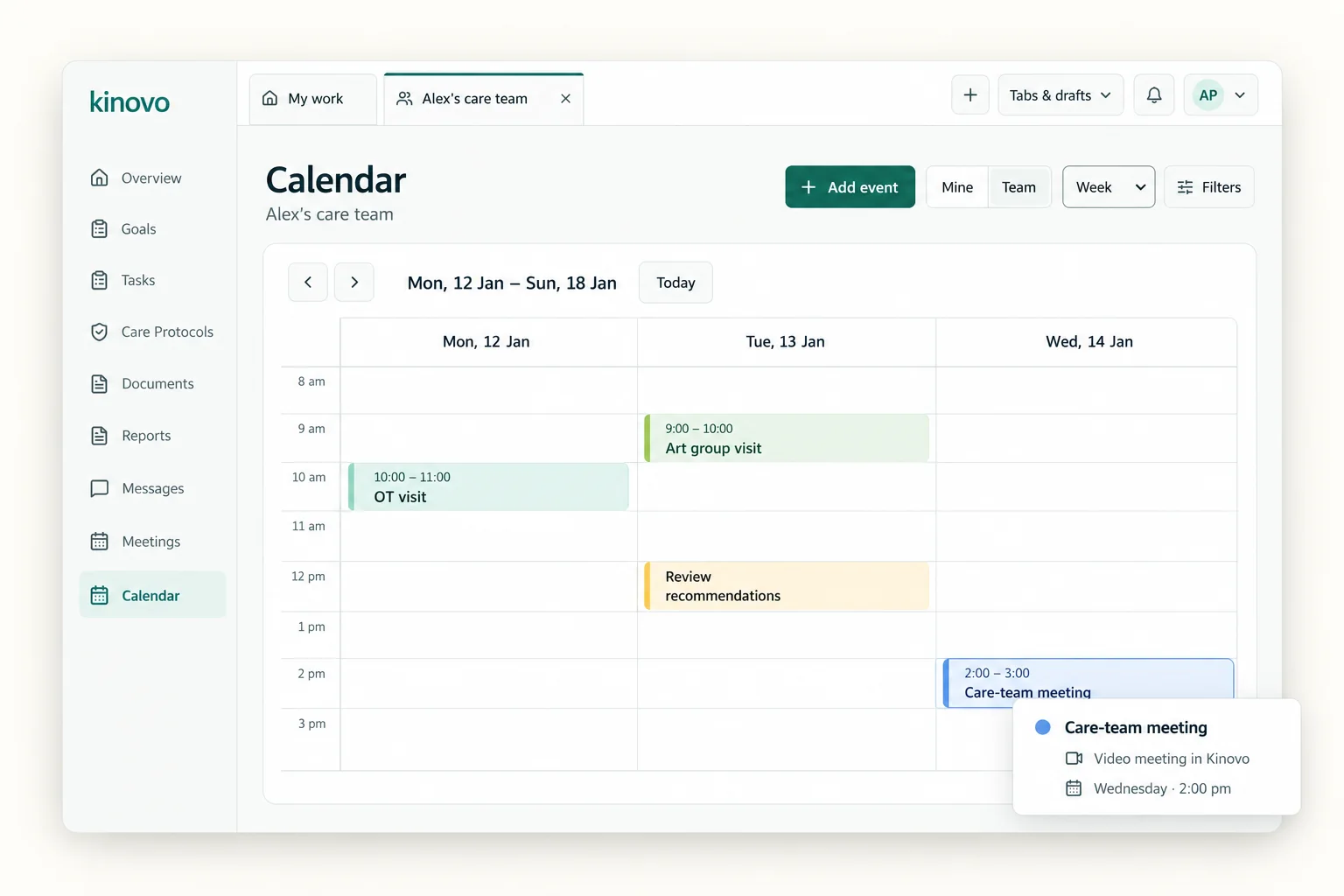
Keep plans and conversations connected.
See appointments, meetings and relevant deadlines in the shared calendar. Meet by video inside Kinovo and keep agreed notes and next actions with the team.
Explore calendar and meetings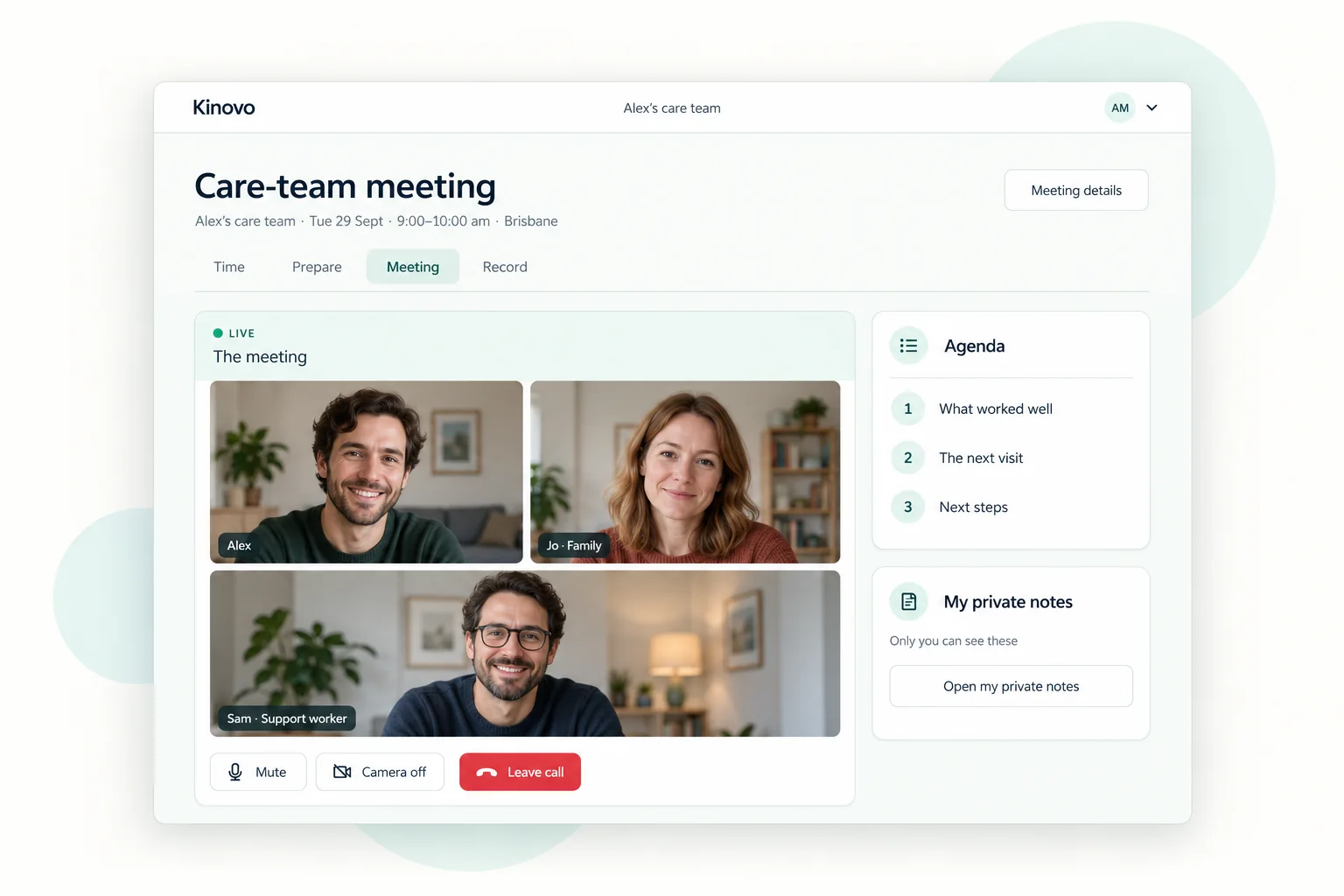 View larger
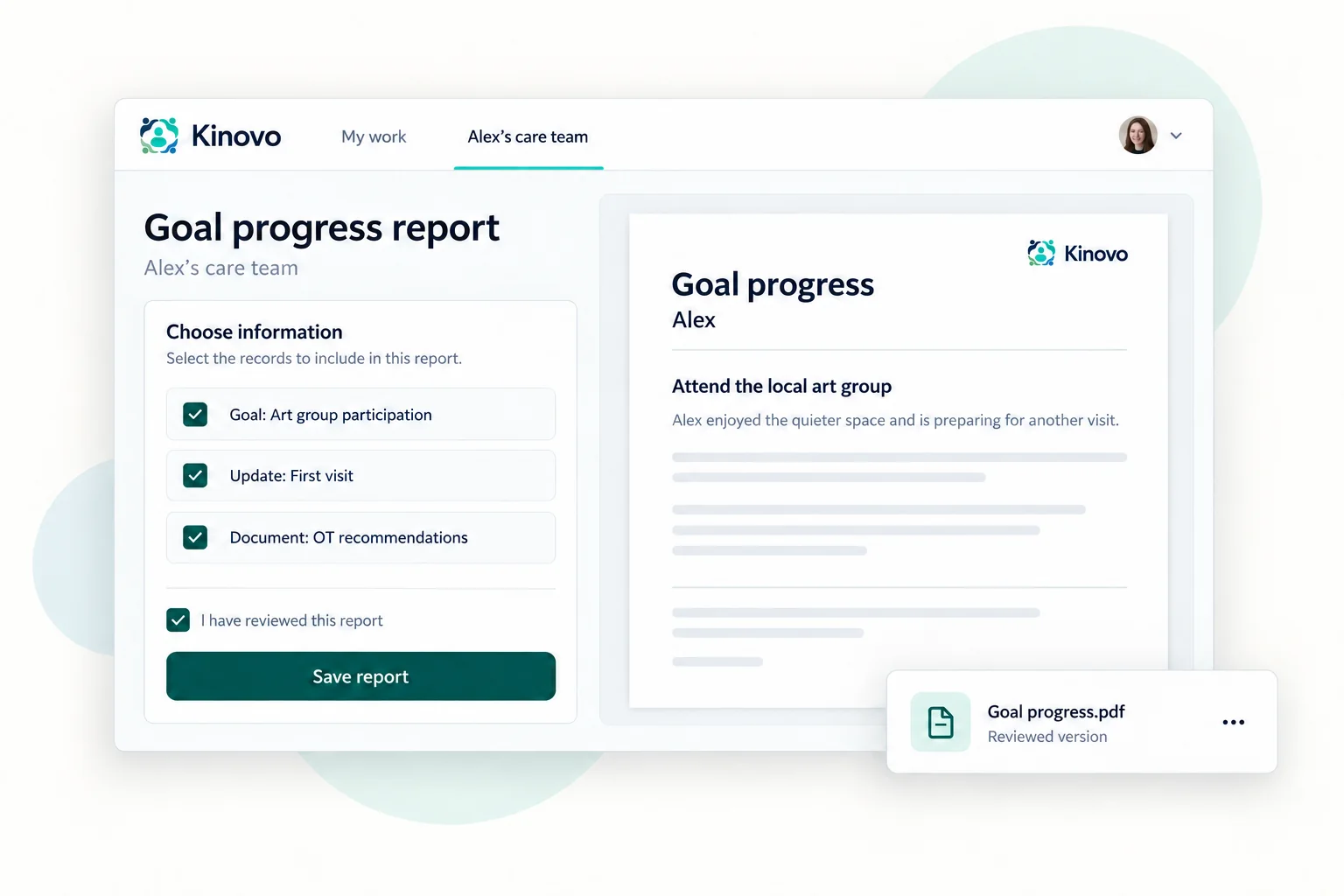
Ready for the next review
Bring selected information together when you need it.
Prepare a plan-review, goal-progress or team-update report from relevant workspace records. Review the content, save a version and share or export it.
Explore ReportsView largerMeet Kivo · Optional AI helper
A little help with the next step.
Find relevant care-team information, catch up on shared work and prepare a draft to review. Kivo helps you use what is already in Kinovo.
Availability and usage depend on your plan and care-team settings.
A shared workspace. A useful view for your part in it.
For participants and families
Stay involved, keep what matters visible and let the people supporting you contribute their part.
Explore Kinovo for familiesFor professionals
Find relevant requests, information and next steps across the care teams you support, through a view shaped around your work.
Explore Kinovo for professionalsYour support stays centred on you.
You or someone you authorise can be the Team leader who manages invitations and access. Each person contributes within their role and permissions.
Choose who joins.
Invite the people involved in your support.
Give appropriate access.
Keep contribution within each person’s role and permissions.
Review as things change.
Keep your care team connected to your current support.
Start with one useful thing. Build it together.
You do not need to organise your whole support history before using Kinovo.
- 01
Create your account.
Set up your profile and choose how you will use Kinovo.
- 02
Create or join a care team.
Start a workspace when you are ready, or accept an invitation to an existing team.
- 03
Make one useful contribution.
Add a priority, respond to a request, share a current document or invite someone who can help.
You can explore an example care team from your account before setting up your own.
For a practical starting point, use the free NDIS care-team setup checklist or the guide to keeping an NDIS care team on the same page.

Built from a family’s experience of coordinating support.
Callum started Kinovo after seeing how his family and the professionals supporting his sister each held important pieces of information. He wanted to give everyone a practical place to contribute around the person they support.
Bring your care team together.
Create your account, start with one useful priority and invite the people who can help move it forward.
View pricing