
NDIS CARE COORDINATION SOFTWARE
One person at the centre. Everyone contributing their part.
Kinovo is NDIS care coordination software for participants, families and invited professionals. Keep shared goals, tasks, support information and next steps connected around one person, with a workspace that stays available between visits and meetings.
- Family & trusted supporters
- Support coordination
- Allied health
- Support workers & carers
- Other invited professionals
Bring the people involved into one workspace.
Each care team is built around one person. The participant, family or authorised Team leader manages access, and invited members contribute the information and work they are responsible for.
Each person’s access depends on their membership, role and permissions.
Create an account. Join a team. Choose a useful first step.
You can create your account before a care team is ready. Accept an invitation, establish a workspace with permission or explore an example first. Detailed setup can happen as the team contributes.
Use the free care-team setup checklist to choose what to add first. If you are comparing tools, the NDIS care coordination app checklist helps you assess what your team needs.
Your care team, connected around you.
Watch the overview to see how the shared picture comes together.
Read the overview transcript
When support involves several people, keeping everyone on the same page can take a lot of chasing. Kinovo brings your care team together in one shared workspace, centred around the person receiving support. Keep goals, next steps, important information and useful documents together. See who’s doing what, what’s waiting, and what’s changed. Your family, support coordinator and invited professionals can contribute updates, share documents and move tasks forward—so one person doesn’t have to maintain everything alone. The participant, family or authorised Team leader chooses who joins, with access guided by their role. Kinovo. Your care team. A clearer way forward. On-screen closing text: Explore Kinovo at kinovo.com.au.
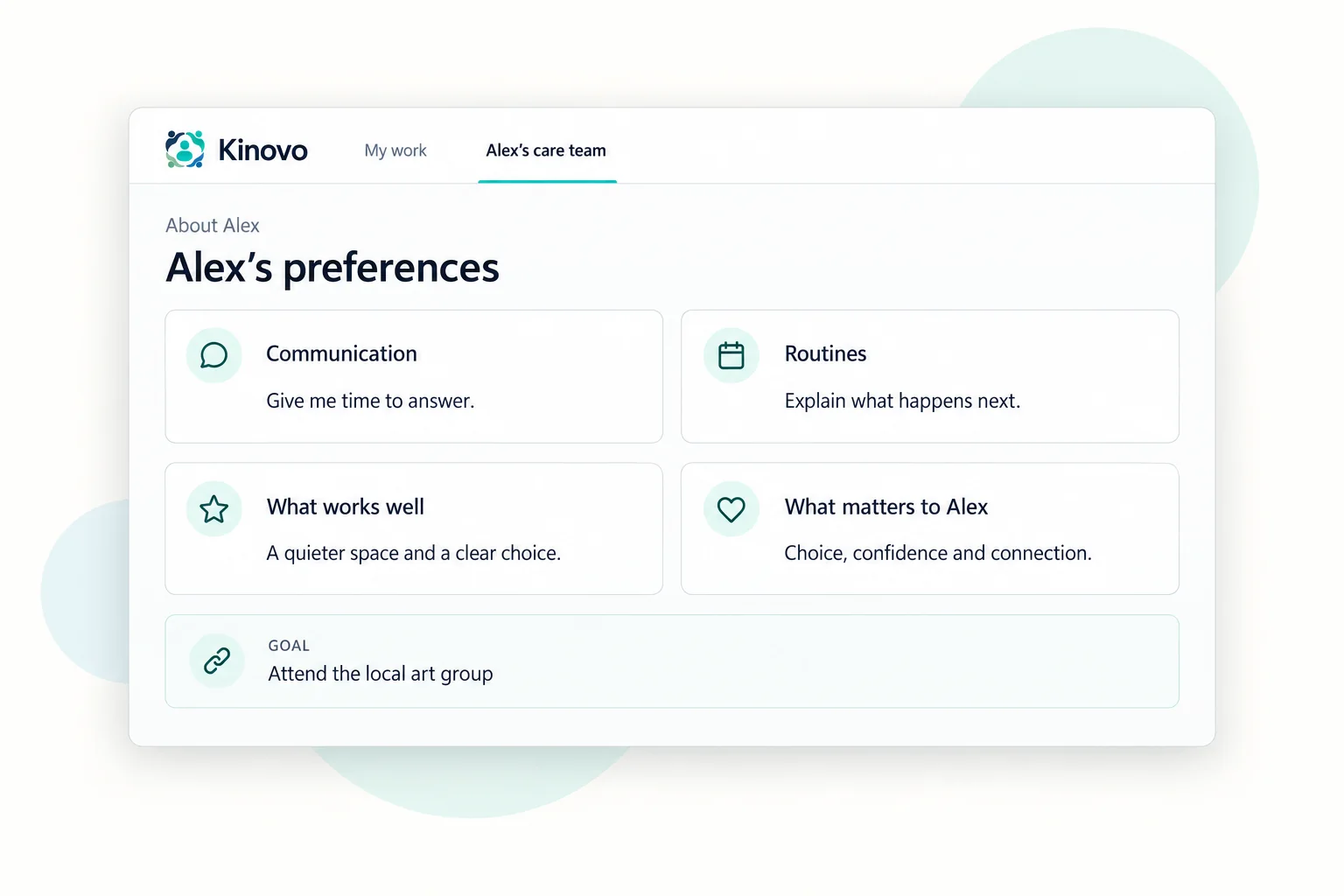
Understand the person
Keep preferences, routines, current support guidance and relevant documents where authorised team members can find them.
 View larger
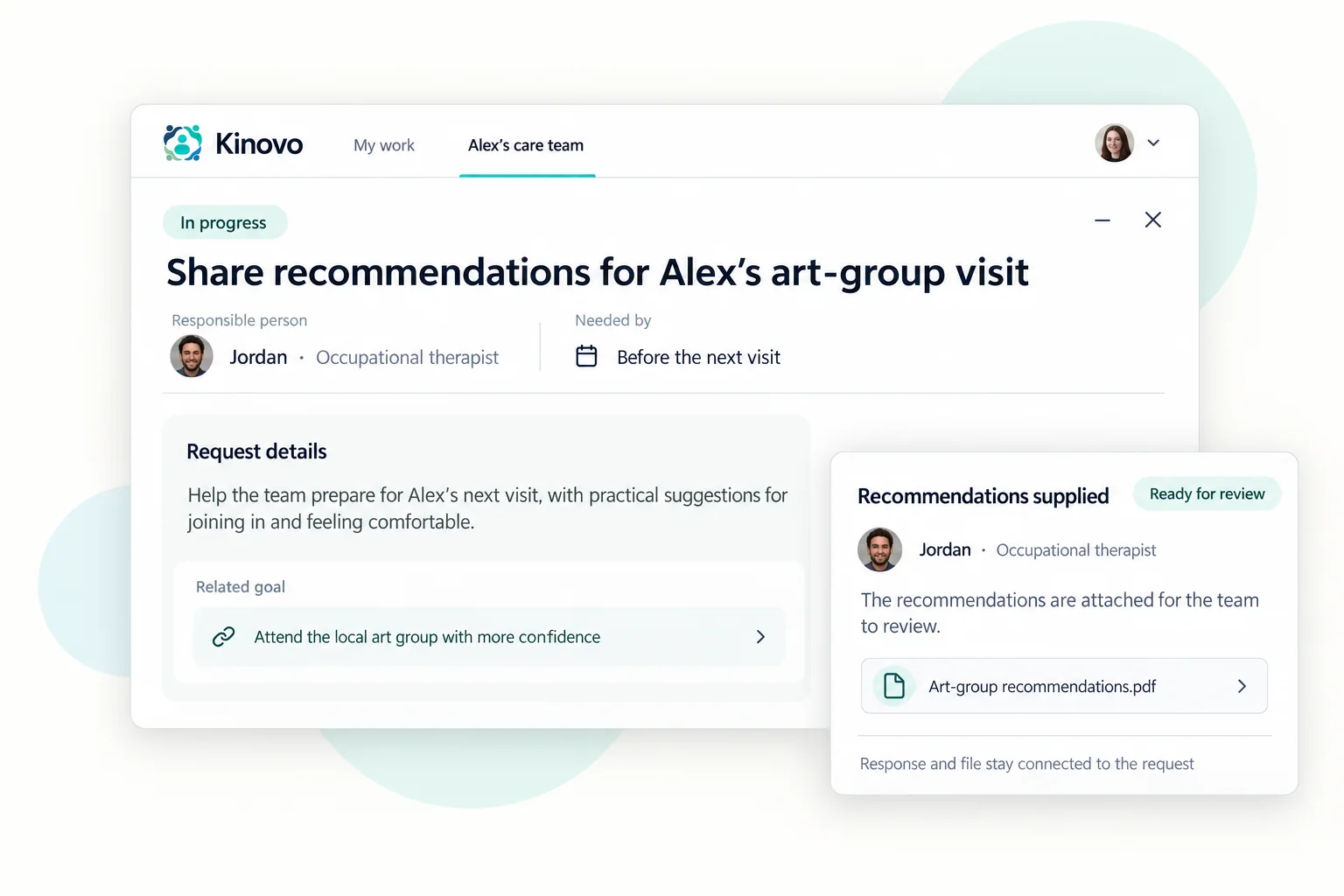
Turn priorities into next steps
Connect goals to tasks and requests. Make responsibility, timing, responses and anything still waiting visible.
 View larger
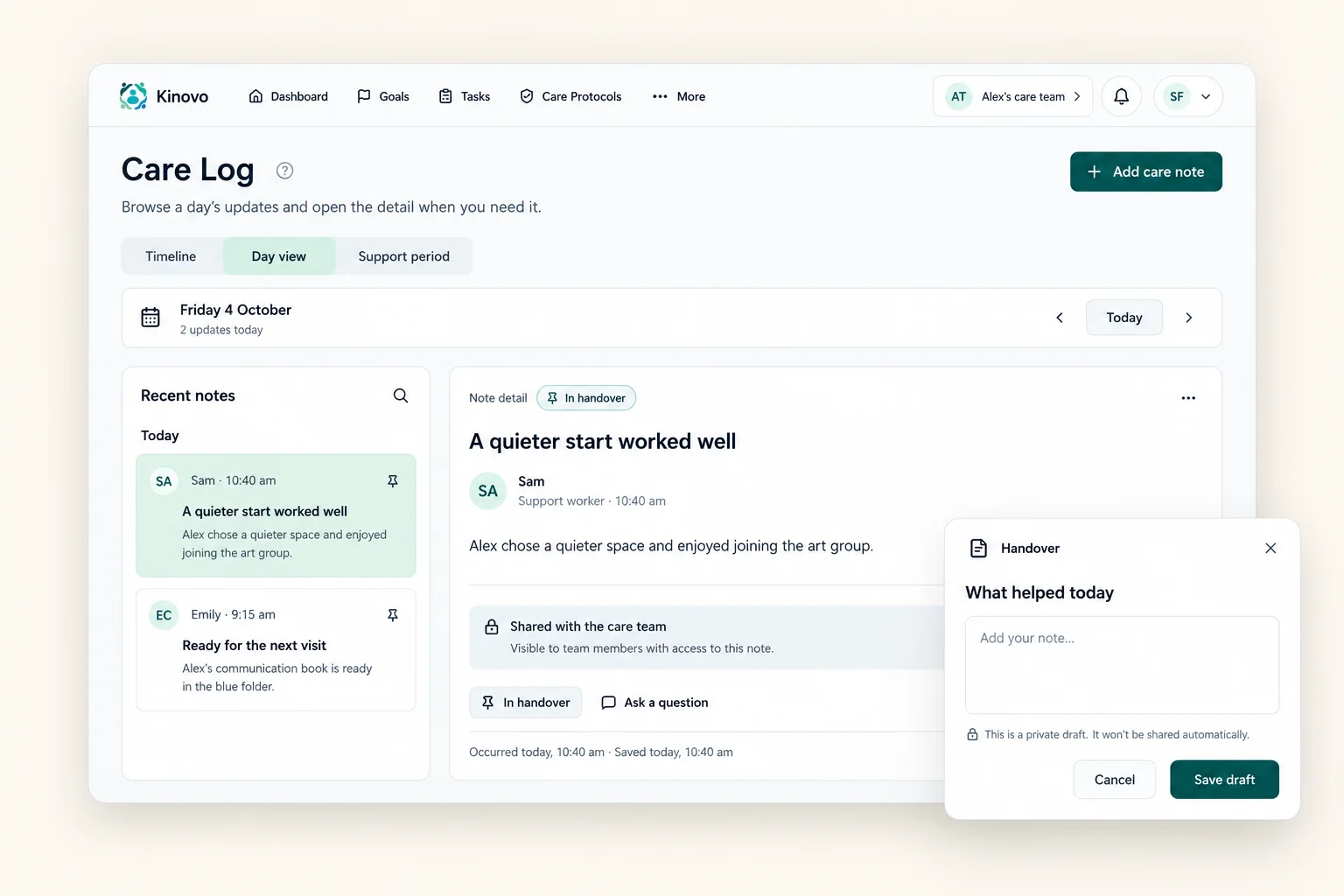
Share everyday support context
Use Care Log for practical observations and useful handovers. Team members choose what to share, while private drafts stay private.
 View larger
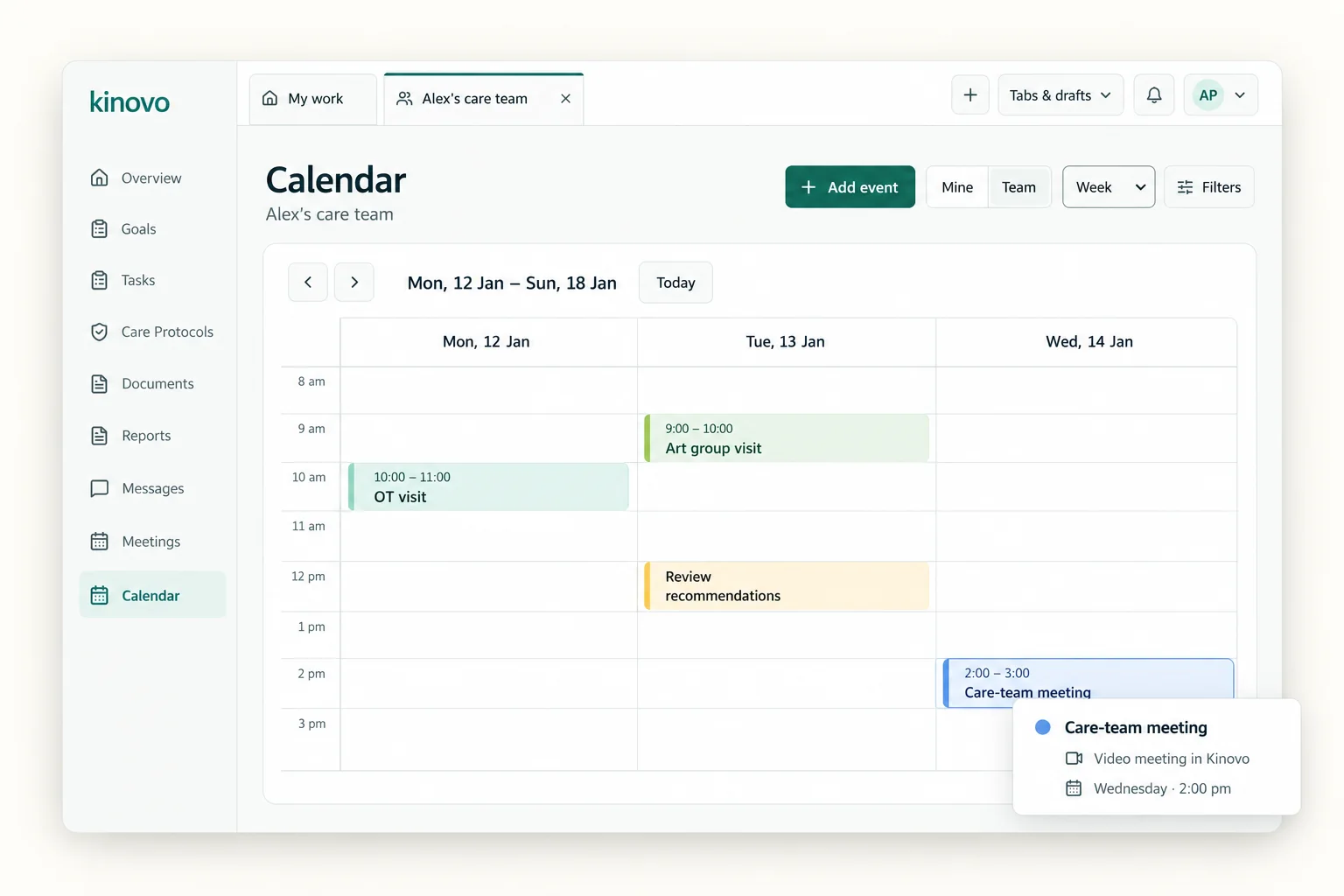
See what is coming up
Bring appointments, team meetings and relevant deadlines into the shared calendar.
 View larger
Discuss the work together
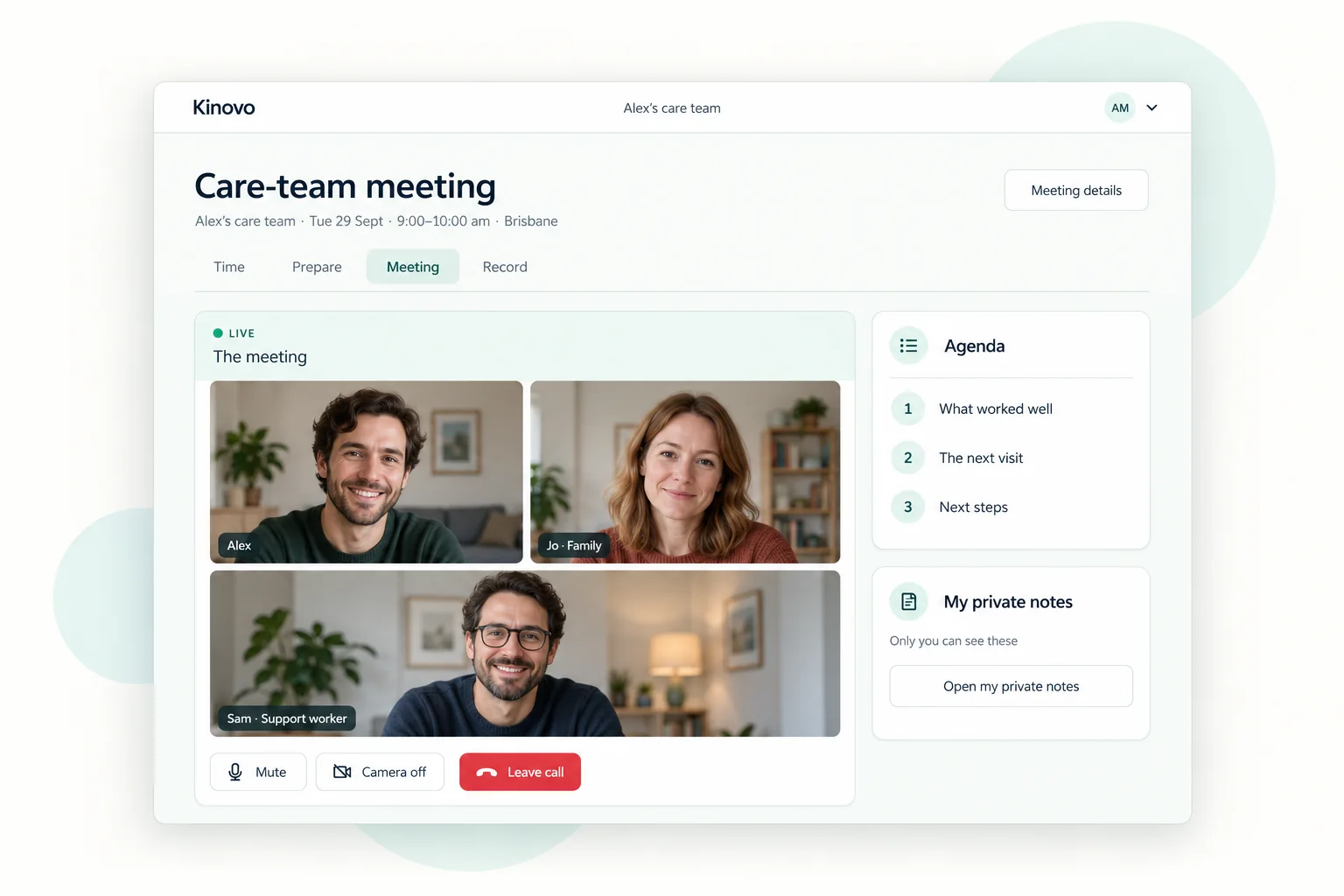
Use care-team messages or arrange a video meeting inside Kinovo. Prepare an agenda and keep agreed notes and follow-up work connected.
 View larger
Prepare a report you can review
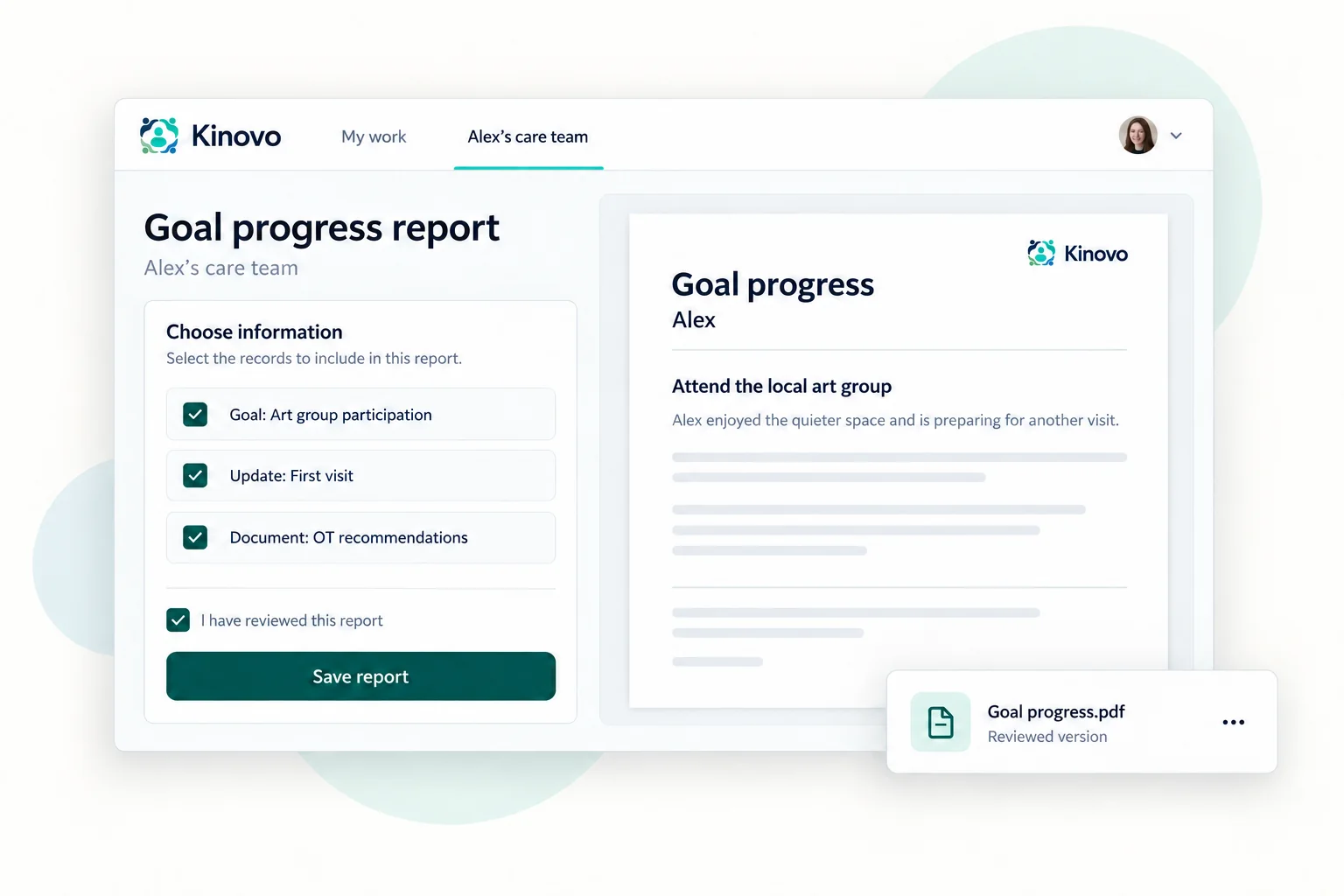
Choose a template and relevant records, review the content and save a version for appropriate sharing or export.
- 1.Choose a report
- 2.Select relevant records
- 3.Review content
- 4.Save and share
Plan review · Goal progress · Team update
Export the reviewed report as PDF or Word.
 View larger
A shorter path to the Care Log where support happens.
The QR code takes you to the right place. Each person still uses their own Kinovo account and existing care-team permissions.
- 1Scan the Care Log QR code.
- 2Sign in with your own account.
- 3Open the authorised Care Log.
- 4Add a useful note within your access.
 View larger
The shared workspace fits the work each person does.
Families can follow the person’s priorities and shared progress. Professionals have starting views shaped around their profession and how they contribute, while each client’s workspace retains its own access controls.
Kivo · Optional AI helper
Ask a question. Check the answer. Choose the next step.
Kivo helps you find your way around Kinovo and make sense of information you are allowed to see. It can answer questions about shared work and prepare drafts for you to review.
- 01
Ask in your own words.
Start with a question about Kinovo or the care team you are working in.
- 02
Check the records.
Follow the source links to check the details behind a care-team answer.
- 03
Review before saving.
Where your role allows, open a draft, make changes and save it yourself.
Example request: “Help me draft a task to follow up the equipment quote.”
Draft for review
- Task:
- Follow up the equipment quote.
- Owner:
- Choose a team member.
- Due date:
- Choose a date.
Available features depend on your plan, care-team settings and remaining allowance.
How does Kivo use care-team information?
The Team leader enables care-team AI, and each member chooses whether to use it. Kivo uses relevant information that person is already permitted to see. It does not grant extra access.
Questions, recent conversation context and relevant records may include sensitive personal or health information. They are processed by Anthropic’s Claude through Amazon Bedrock in Sydney and Melbourne. Inputs and outputs are not used to train the models.
Kivo can make mistakes. Check important facts and the original records. Kivo supports coordination; it does not make clinical or funding decisions.
Read about Kivo privacy and controlQuestions about working together in Kinovo
What is a care team in Kinovo?
A workspace around one person and the family members, supporters and professionals invited to help coordinate their support.
Does everyone see the same information?
Access depends on the care team, the person’s role and the information being shared. Joining a team does not give every member identical permissions.
Does the participant need their own account?
A Team leader can manage the participant’s workspace profile without requiring an email address or login for them.
What can Reports help with?
Reports can bring selected goals, dated updates, responses, documents and other supported records into a useful overview. The person preparing the report reviews its content before saving or sharing it.
Can we meet inside Kinovo?
Yes. Care teams can arrange meetings and join video calls within Kinovo, alongside the meeting agenda and relevant coordination work.
Will Kivo make changes for me?
Kivo can prepare a draft where your role allows. You review, edit and save it through Kinovo’s usual workflow. Asking Kivo a question does not send a care-team message.
Start with the work your team already needs to do.
Create your account, bring in the right people and choose one useful first contribution.